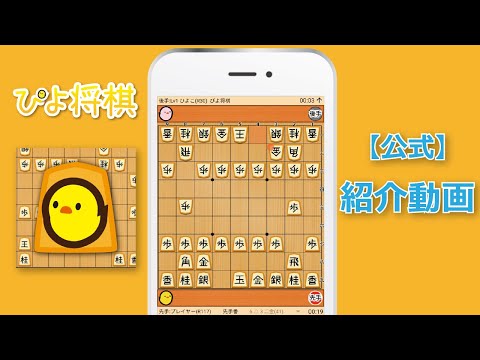
■■■ Free App ■■■
A shogi app where you play against a cute "chick". Enjoyable for beginners to advanced players with
40 levels of advanced AI (highest level is amateur 7th dan )
---・---・---・---
■Why not start playing shogi?
---・---・---・---
Introductory lessons, handicap games, weak AI, hints, undo, piece movement guide display, 3-choice mode, etc., so even beginners can start with confidence and have fun.---
・---・---・---
■Satisfying for intermediate to advanced players
---・---・---・---
・There are 40 levels , with the highest level being equivalent to amateur 7th dan
or higher .・You can measure your current skill level with rated games
.---・---・---・---
■Want to get stronger at shogi
---・---・---・
---・After playing shogi, it analyzes the game record and tells you which moves were bad.
・It judges and displays opening theory and battle patterns.---
・---・---・---
■In a word, this app is
---・---・---・---
Not just cute!
This is a surprisingly feature-rich shogi app that can be used by beginners to advanced players.
[Main Features]
- You can play against a full-fledged AI with 40 difficulty levels
. - You can also play against other users via online communication
. - The analysis function allows you to compare your moves with those of the AI . - It has a game record analysis function
that automatically checks for bad moves and questionable moves. - Four types of shogi problems (beginner, intermediate, advanced, and dan level) are posted daily. - Problems from the endgame training dojo , where you start the game from a favorable position in the endgame, are posted daily. - The game record management function allows you to save and manage game records of matches against the AI. You can not only play games in Piyo Shogi, but also import and manage game records from other apps. [Detailed Explanation of Functions] <<1. Game Function>> Let's play against a full-fledged AI! You can also play against other users via online communication. - The computer AI has 40 difficulty levels, so it can be enjoyed by beginners to dan level players . - The possible locations for moving pieces are displayed, making it easy for beginners to understand! - The AI will suggest good moves with the "Hint" button! The AI's analysis of each move is also displayed, so think about why that move is good. You can watch not only player vs. computer matches, but also computer vs. computer matches. You can also play against other users. Your match record against the computer AI is recorded. You can set handicaps, time limits, and play rated matches. <<2. Review Function>> Reviewing your game after it's over is the quickest way to improve. Let's review using the review function! The "Review" button displays the AI's analysis, the analysis of the moves you actually made, and the evaluation of the position for each. This will give you hints on what you should have played here. The "Game Record Analysis Function" automatically analyzes all moves and finds bad moves. You can display the evaluation of the position based on the game record analysis in a graph. It's immediately clear which moves were bad. The results of the game record analysis can be saved as a game record file . For more information on how to view the game record analysis results, please refer to the official website: https://www.studiok-i.net/android/piyo_shogi.html <<3. Game Record Management Function >> Keep a record of the games you've played! You can import game records from other shogi apps or publicly available game records . You can save game records from games played against AI to a file . It supports importing KIF, KI2, and CSA format game record files . You can copy and paste game records to the clipboard . You can manage not only your own game records, but also game records from other apps. You can import and save game record files from various cloud services such as Google Drive and Dropbox. You can create starting positions and positions for shogi problems. [Official Website] There are too many features to list here. Please refer to the official website below for details. It includes detailed explanations of features, instructions for unclear parts, and FAQs. https://www.studiok-i.net/android/piyo_shogi.html [Support] Support is available on the official website below. https://www.studiok-i.net/android/piyo_shogi.html
If you have any bugs, comments, or requests, please contact us via the "Send a Request" option in the menu on the app's top screen.
[To provide the app for free]
In order to provide the app for free, we are displaying advertisements. We appreciate your understanding.
[Disclaimer]
We have taken the utmost care in creating this software to ensure that there are no bugs, but there is a possibility that bugs may occur.
STUDIO-K cannot guarantee or accept any responsibility for any damages incurred as a result of using the distributed software,
so please be aware of this in advance.
■2026/07/05 ver5.7.7
・Added support for reading, saving, and inputting KIF files with branches.
When inputting branches, select "Branch Input Mode ON" from the menu on the game screen.
Branch input is only available after the game is finished .
・Added "Delete game record from this position onward" to the menu on the game screen
. ・Added "Make the first player's pieces dark (light mode only)" to the settings.
・Added "Display tactics and proverbs in speech bubbles" to the settings.
・Improved candidate moves in 3-choice mode.